[Fulfillment-Order Link Management] Linking with Naver Smart Store

[API Linking]
1.[Store Display Management] > [Store Management] > [API Information] to access.
2.Select use in [API Usage Settings].
3.Choose 'Shipda-Seller Note' in [API Agency] > [Product API], [Order API] and save.

4.Select 'Smart Store' link in [My Page]-[Fulfillment]-[Order Link Management]-[Mall Link].

5.Enter the 'API Link Seller ID' verified by Smart Store.
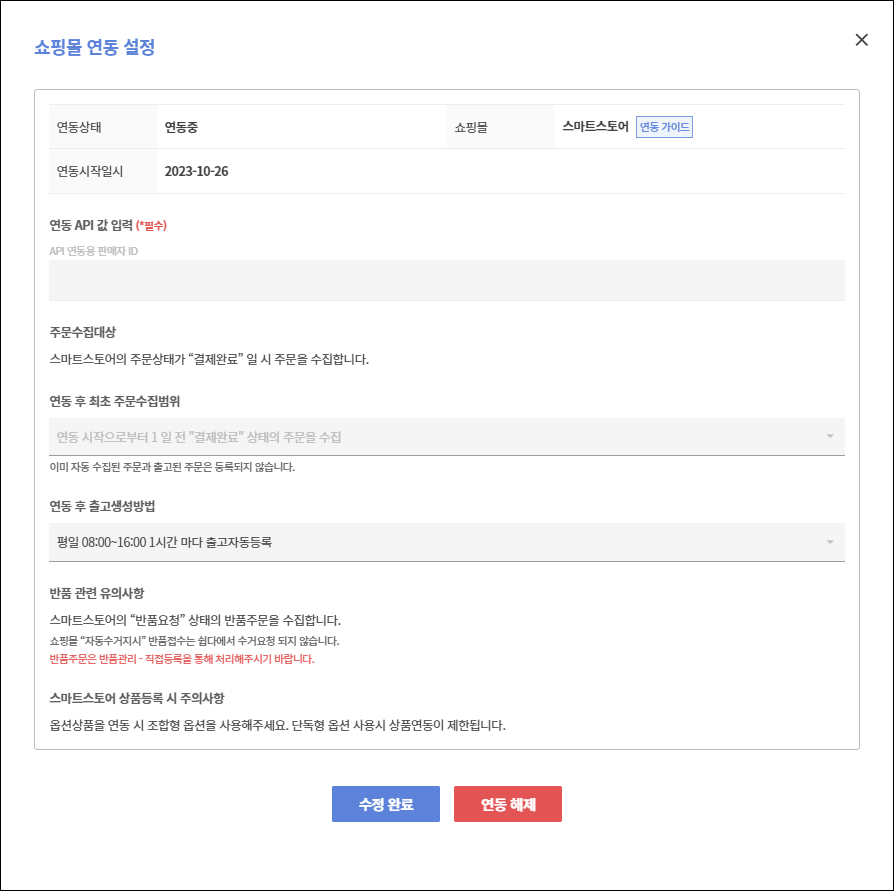
6.Once linking is complete, you will receive the link results via the registered email, and the status in the list will change to 'Linking'. Additionally, you can check products registered with 'Smart Store' in [My Page]-[Fulfillment]-[Order Link Management]-[Product Link/Release].
If you've successfully linked to Smart Store, "Link Smart Store Products" please refer to the link!
?Unlinking
- If you no longer use the applicable mall, you can unlink it.
- Click the “Unlink” link for the applicable mall in the list to complete the un-linking.
- No order information will be collected after unlinking.
- Already collected order information will remain even after unlinking.