[Feature: Team] Team Transfer & Deletion, Restoration
Digital Import Logistics Forwarding Service.
After creating a team, it is possible to either "transfer" or "delete" the team.
[Team Transfer Overview]
Only the Team Master can transfer the team, and it can be done to "Active" members. When transferring the team, the Team Master's permissions change to that of a Team Administrator. This can be done in [Company Info - Information Change].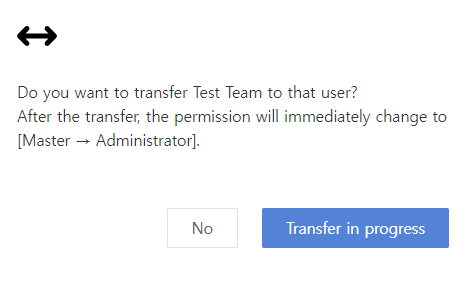
*The Team Master cannot change permissions after selecting multiple members in the team.
[Team Deletion/Restoration Overview]
If all members except the Team Master leave the team, the Team Master can delete the team by clicking the "Delete Team" button in the upper right corner of the [Company - Info] page. To confirm team deletion, enter the "Team Name" accurately, and the "Yes, I'll Delete it" button will activate.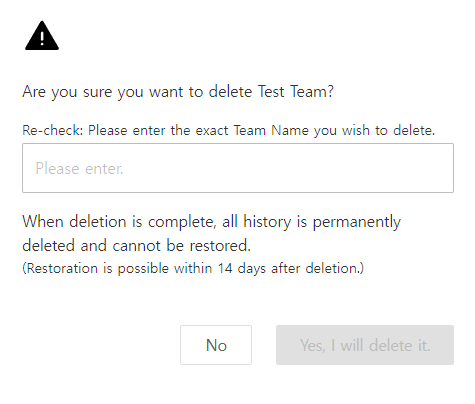
Upon the expiry of 14 days from the application date, the team is permanently deleted, and transportation records cannot be recovered. Restoration after team deletion can be done immediately by clicking the "Restore" button in [Company - Info].
If you have any inconvenience or inquiries, please contact cs@ship-da.com :)
Thank you.

