[Fulfillment-Shop Integration Management] Connecting with ShopBy
???? Easy × ShopBy Integration Guide
Available for both domestic and international shipments!
Upgrade both speed and accuracy with automatic order information integration!
???? Preparation for Integration
- ShopBy admin account (operator login)
- Easy admin account
- Check Mall ID in ShopBy Partner Center
✅ Integration Procedure
1️⃣ Access Easy Admin Page
???? https://www.ship-da.com Log in
2️⃣ [Fulfillment] > [Shop Integration Management] > Add Integration
Select ‘ShopBy’ here
3️⃣ Enter ShopBy Mall ID Information
4️⃣ Access ShopBy [Admin Page] > App Services > Search and run [Fulfillment specialized for imported goods - Easy].
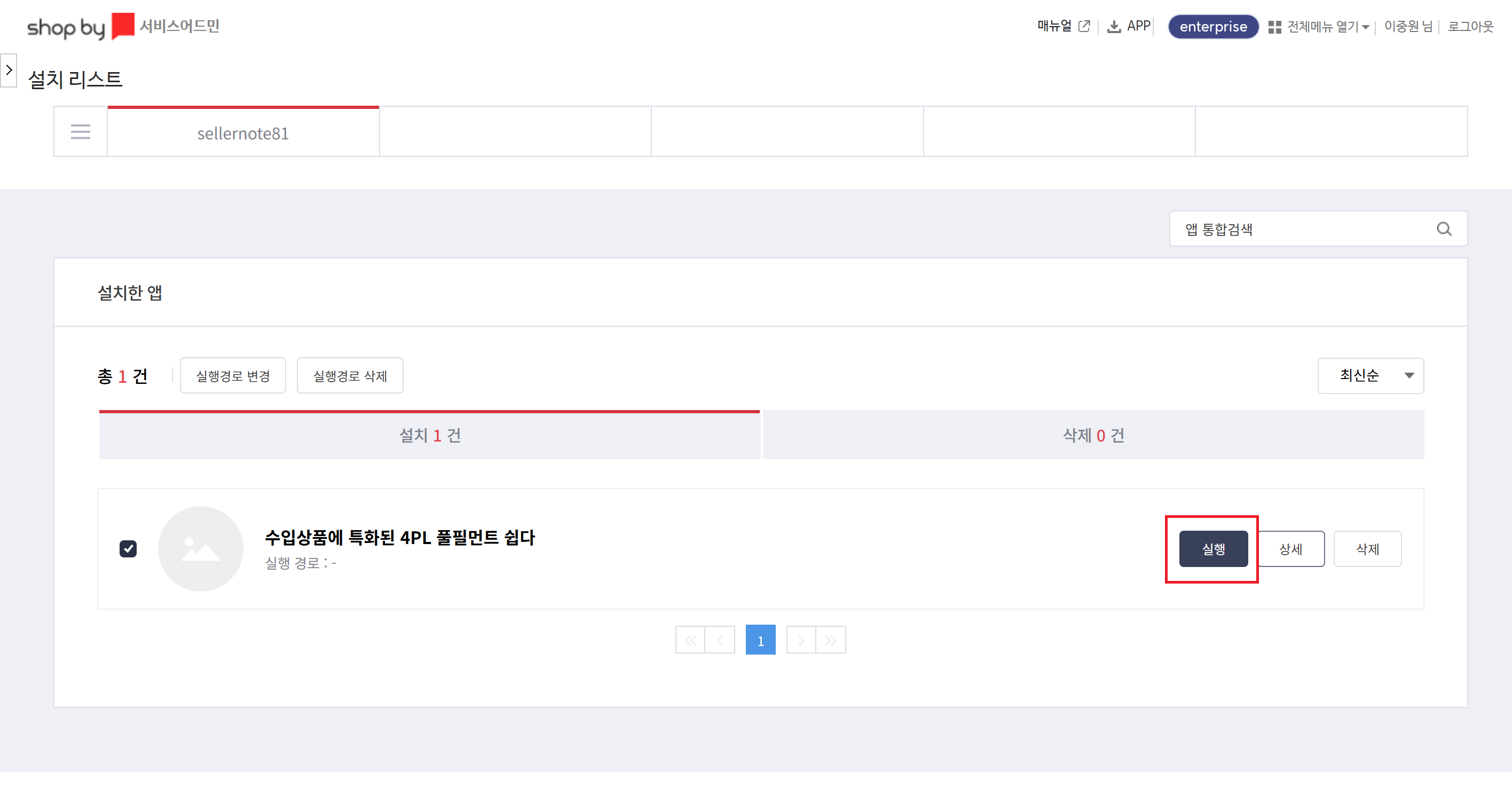
Start Automatic Order Information Integration
After integration is complete, ShopBy orders are automatically transmitted to Easy,
and requests for domestic or international shipments are possible.
???? Usage Example
Domestic/international buyers place orders
→ Order information is automatically transmitted to Easy
→ Automatic shipment processing at Easy fulfillment warehouse
???? Need Help?
Email: qna@ship-da.com
- Or contact us through the Channel Talk at the bottom right on the site.

