[Common] Team Management Function Update (Team Creation, Invitation, Authorization)

Digital Import Logistics Forwarding Service - ShipDa is here.
A new feature has been updated so you can request and manage the ShipDa service by 'team unit'.

When you click the profile at the top right, the "Account Management" screen will be displayed.
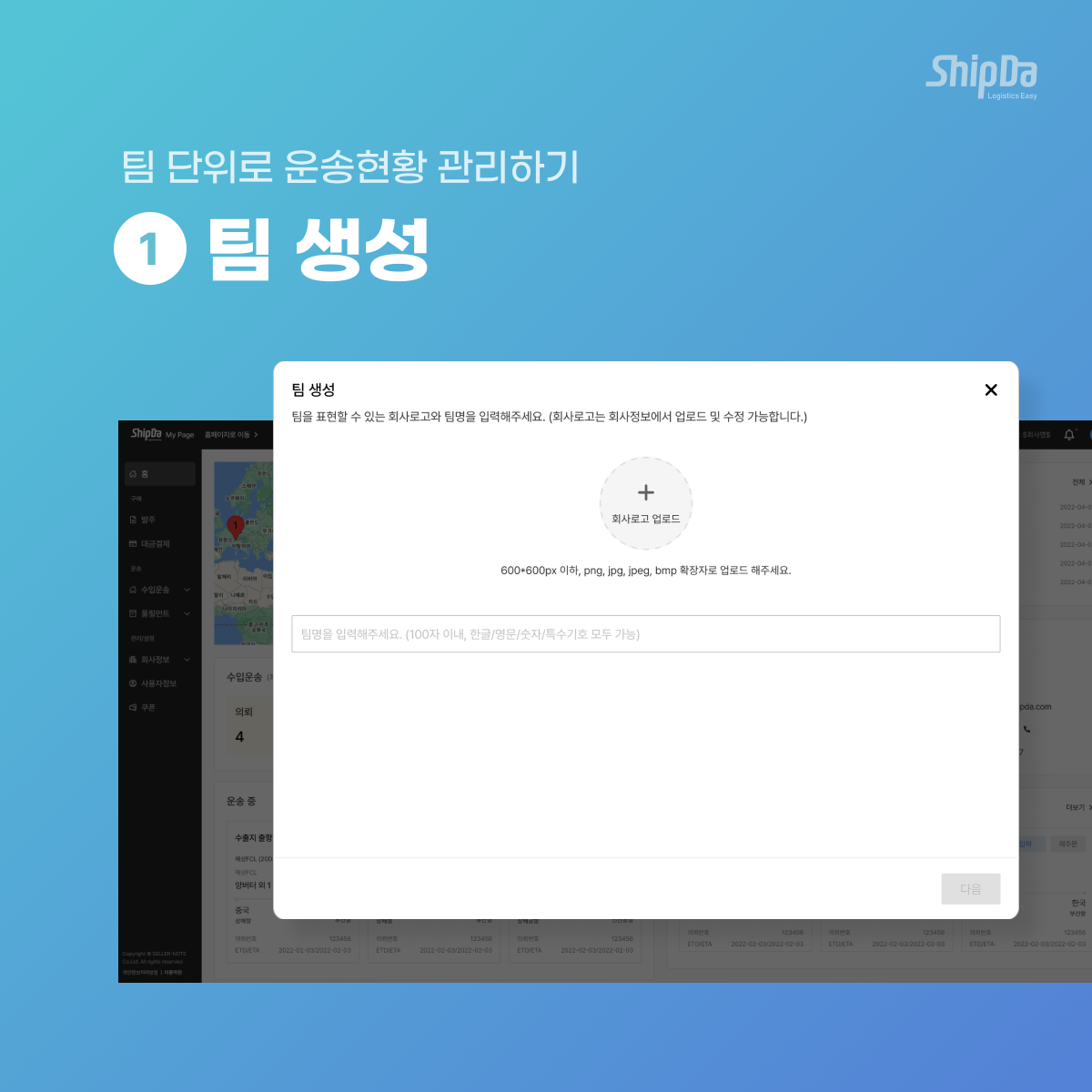
On the "Account Management" screen, you can create a team and invite team members through the "Create Team" button.
[STEP 1.] Click the create team button and enter the "Team Name".
[STEP 2.] Invite the members you want to invite to the team. (*Additional invitations can be added in member management after creation.)
After entering the email address of the member to be invited, press the "Done" button to complete the team creation.
Even non-members who have not signed up for ShipDa can be invited.

[STEP 3.] You can check the list of invited members and the invitation status on the member management page.

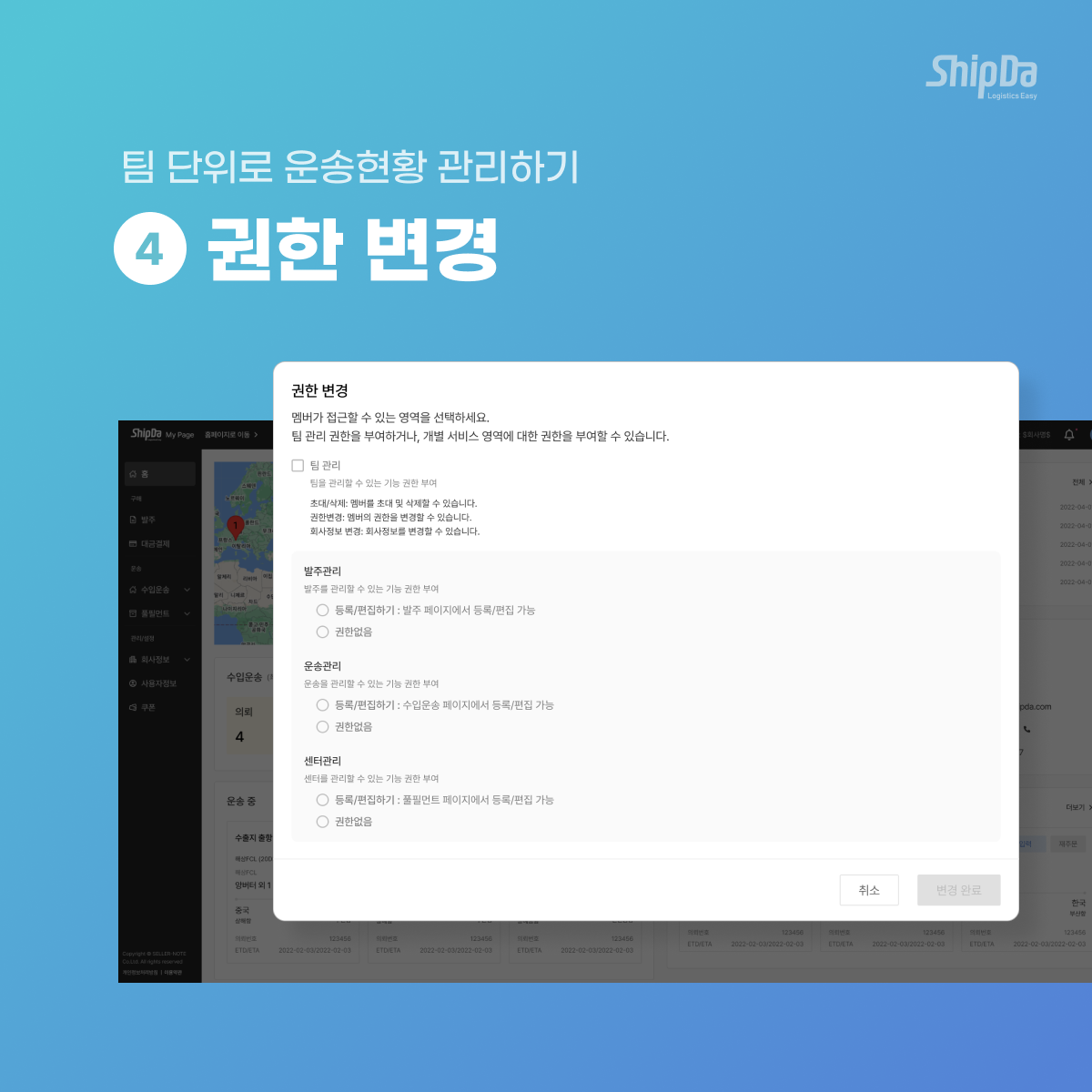
[STEP 4.] You can change the permissions for each member.
The team master can change the permissions of team members. (They are broadly categorized into three types: Team Master / Team Administrator / Team Member.)
Don't want a certain page to be visible to invited team members? You can set the registration/view permissions for each page.
[Additional] You can create a team without any restrictions and be affiliated with other teams.
You can be affiliated with several teams at the same time. Also, each team's request history is separately displayed.
Handle tasks without confusion with distinguished transport status per team.


Teams will all be displayed in the list of 'teams I created myself' / 'teams invited by others', in chronological order. There is no limit to the number of teams you can belong to. In other words, you can have one personal account and configure it with N teams.

Viewing permissions will be updated later.
For detailed usage methods, please click the content below.
(1) Creating a Team / Inviting Members
(2) Changing Member Permissions
(3) Transferring / Deleting & Restoring Teams
(4) Inputting / Changing Team Information


