[Service] I'm curious about how to check the submitted quotation.
#CheckQuote
Hello, Digital Forwarding!
If you're wondering how to check the received quotations after requesting a quote, here's the information.
Inquiry: I'm curious about how to check the submitted quotation.
Answer: You can check it on "My Page - Shipment - Details - Quote" ????
Verification Method
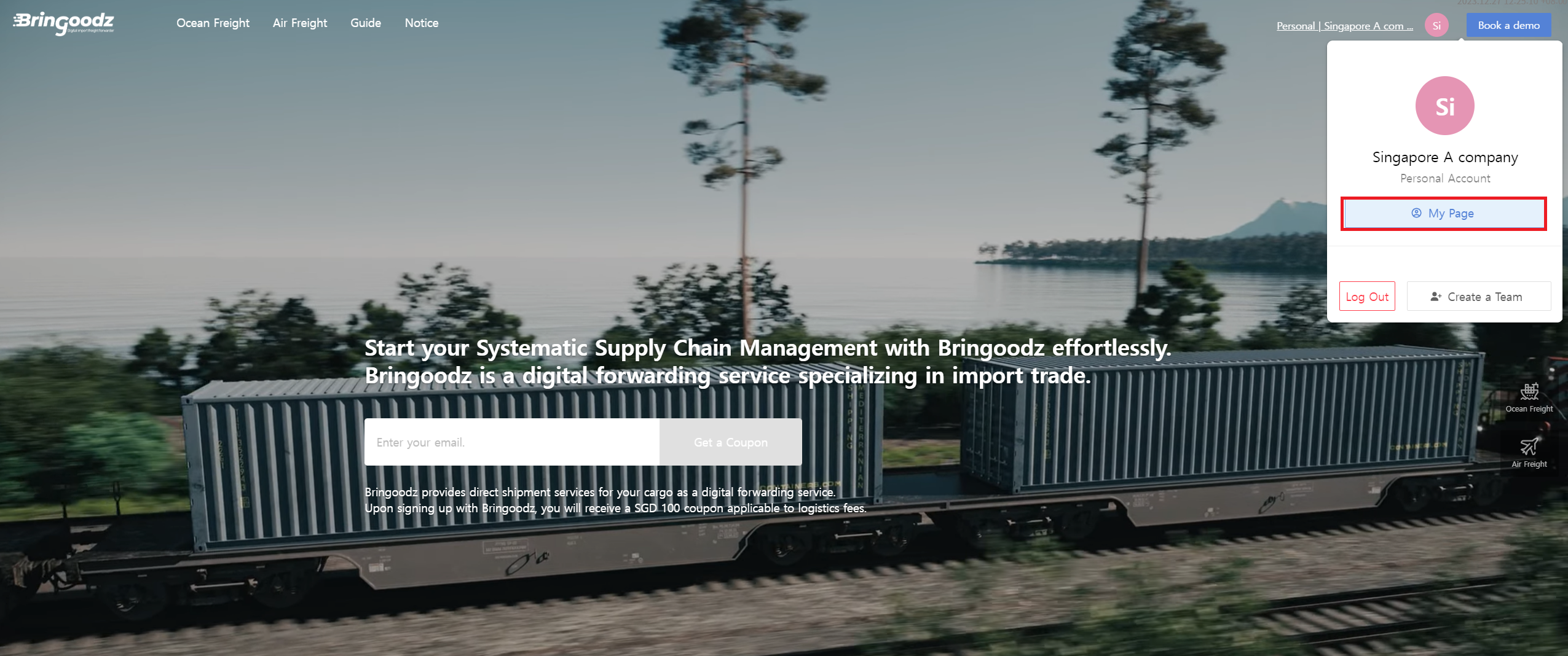
1.Access ShipDa My Page.
- URL: https://ship-da.com/mypage/bid
- Path: Home - Click on the top right profile - Click on My Page
2.Go to Shipment - Select the Request tab. Click the [Accept/Reject Quotation] button on the request details.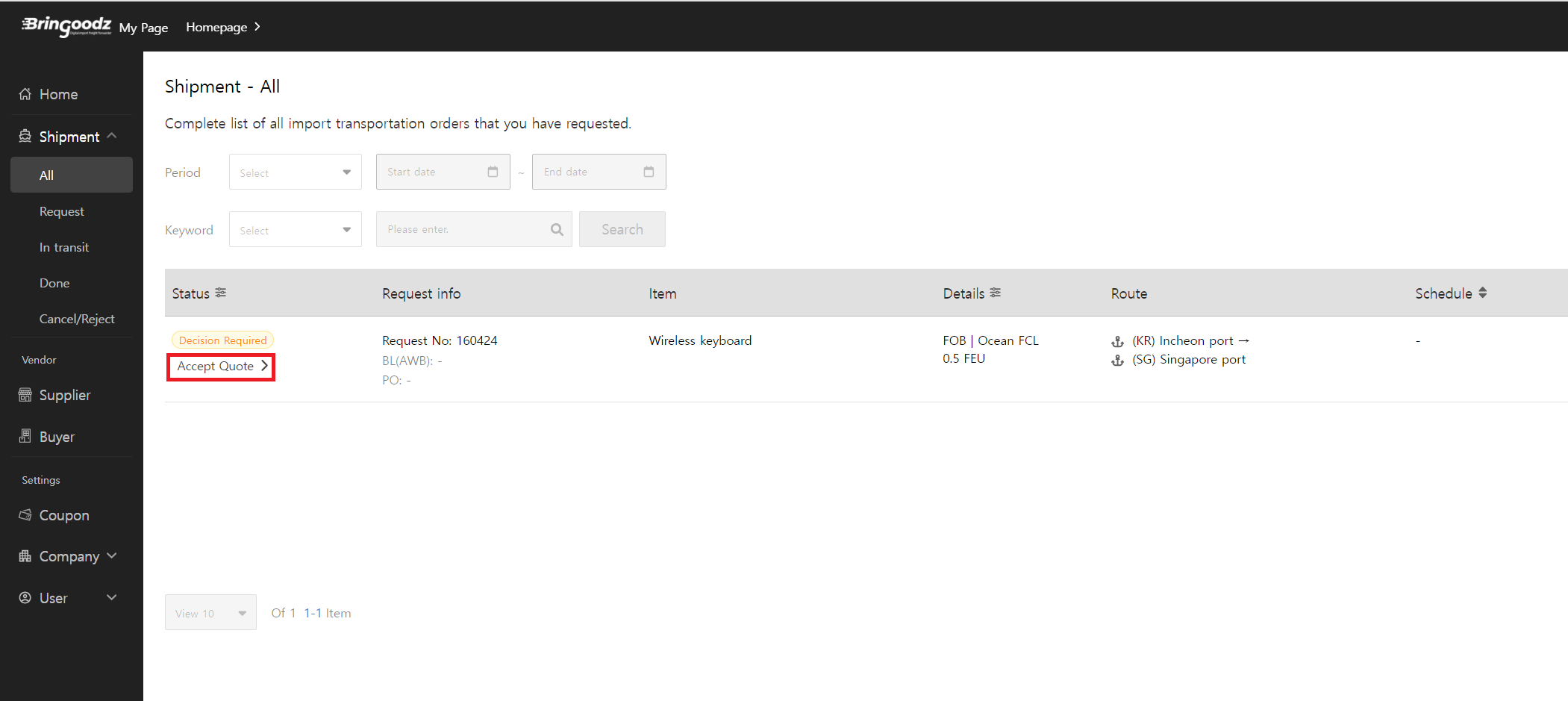
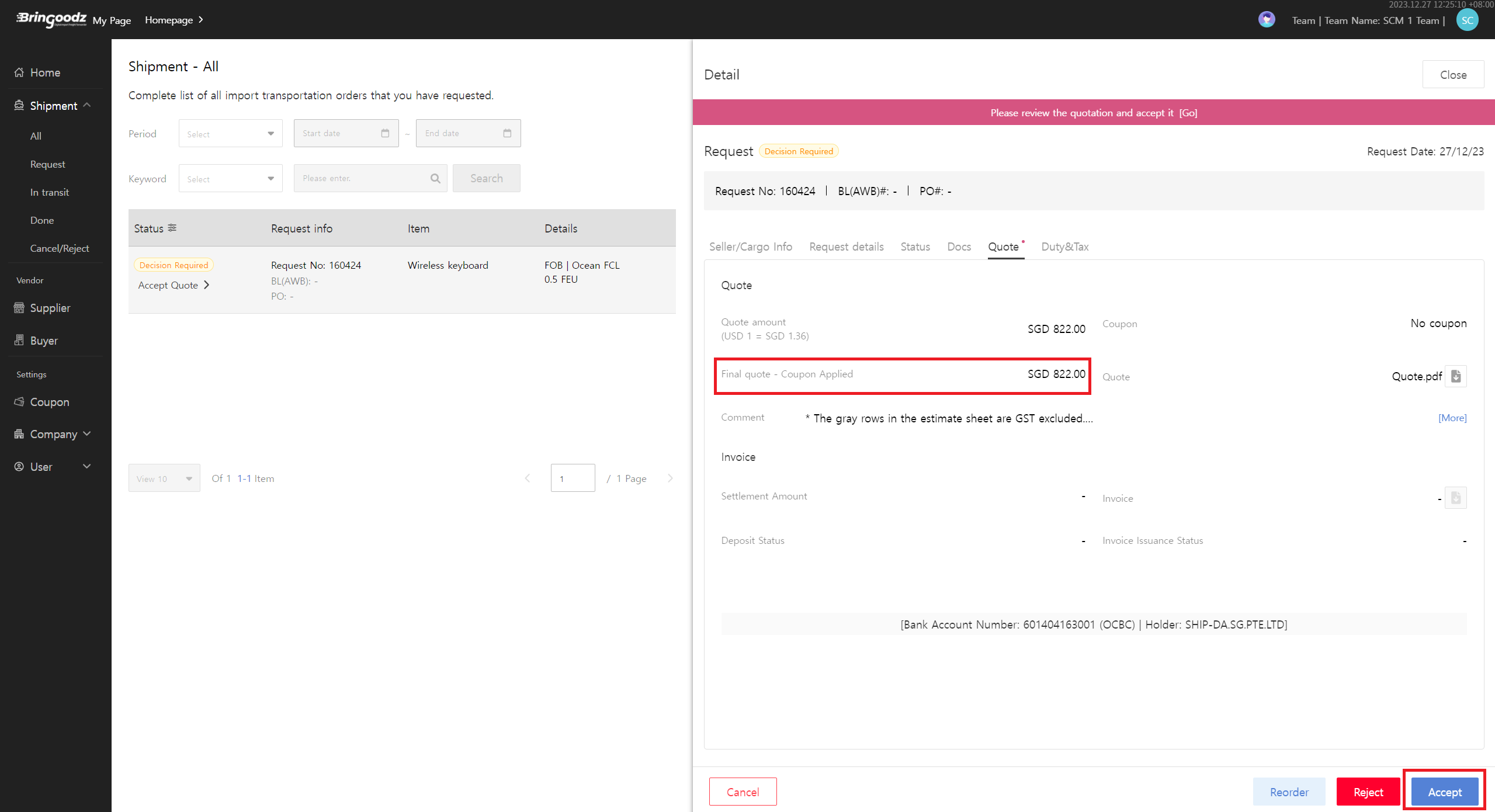
3.In [Quote tab] you can check the proposed final price and download it in the form of a quotation.
- If the quotation is satisfactory, click the "Accept" button
I'm curious about the subsequent procedures.
- If you accept the quotation, you need to enter "Seller(Exporter) Information" for shipment processing. ShipDa will then contact the exporter to guide transportation to the desired destination.

